New in Merge EDU: 3D Learning Modules
Turn 3D Exploration into Guided Lessons
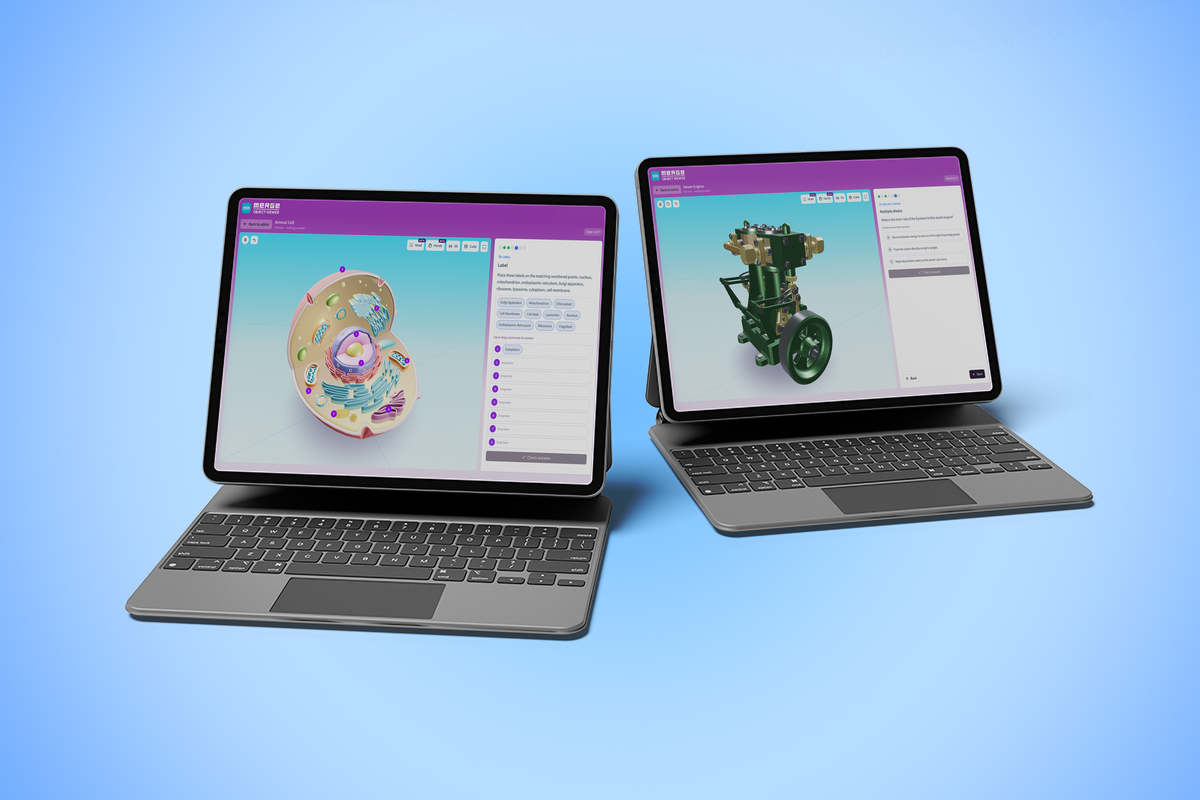
K-12 classrooms often use flat diagrams and worksheets to teach complex 3D concepts. But when students are asked to memorize the parts of a cell or the anatomy of a human heart from a sheet of paper, engagement drops, and deeper spatial understanding is missed.
To bridge that gap, we are excited to introduce 3D Learning Modules in Merge EDU!
3D Learning Modules allow teachers to turn a 3D object into structured, self-guided lessons.You can add interactive activities, check-for-understanding questions, and clear learning steps that students complete right on their devices.
How to Turn Any 3D Object into a Guided Lesson
Designed specifically for everyday classroom use, 3D Learning Modules simplify how spatial learning is integrated into your existing curriculum through a three-step workflow.
1. Create
Choose any 3D object from the Merge Object Viewer library to serve as the foundation of your lesson. Build the instructional steps yourself, or let AI generate an initial draft to give you a head start. You always maintain full pedagogical control—review, edit, and preview every step before anything reaches your students.
2. Assign
Send lessons directly to an entire class, a course, individual students, or share them via a direct link. Add due dates whenever required to keep learning on schedule.
3. Review
Gain clear visibility into student work. See who has started, who has completed the module, review student-written responses, and provide direct feedback on submitted work.
Read the help article to learn how to create a 3D Learning Module
What Students Experience
Inside a 3D Learning Module, students actively engage with concepts through three core activity types built directly into the 3D model:
- Explore: Students read guided prompts while manipulating, inspecting, and focusing on specific features of a 3D model.
- Identify: Students tap labels or match terms directly to corresponding parts of a labeled 3D object to reinforce vocabulary and structure.
- Respond: Students demonstrate understanding by answering multiple-choice questions or writing short explanations within the lesson sequence.
Built for Practical Classroom Flexibility
3D Learning Modules extend the core strengths of Merge EDU while remaining simple to deploy and manage across standard school hardware.
| Feature | Classroom Benefit |
|---|---|
| Fully Web-Based Access | Runs directly in web browsers on Chromebooks, laptops, and tablets. No app store downloads or MDM approvals required. |
| Teacher-First AI Control | AI assistance is optional. It helps draft lesson steps, but you always decide what gets assigned to your students. |
| Multiple Interaction Modes | Starts directly on the screen in standard 3D Mode. Extend to hands-on cube mode or other embodied learning interactions like head mode or hand mode. |
| Assignment Consistency | When you assign a lesson, that version remains locked for your class, ensuring edits made later don't disrupt active student assignments. |
Ready to Make Your Next Lesson 3D?
Transform basic 3D exploration into targeted, reviewable instruction across Science, STEM, Social Studies, and beyond. Log into Merge today or start a free trial to explore 3D Learning Modules and build your first guided lesson.